What if the key to your genealogy brick wall is only one cousin connection away?
If you’ve been researching your family history, you’ve likely encountered at least one stubborn brick wall—an ancestor who seems to disappear. Instead of only searching more records, consider a different approach: finding relatives who may already hold the missing pieces.
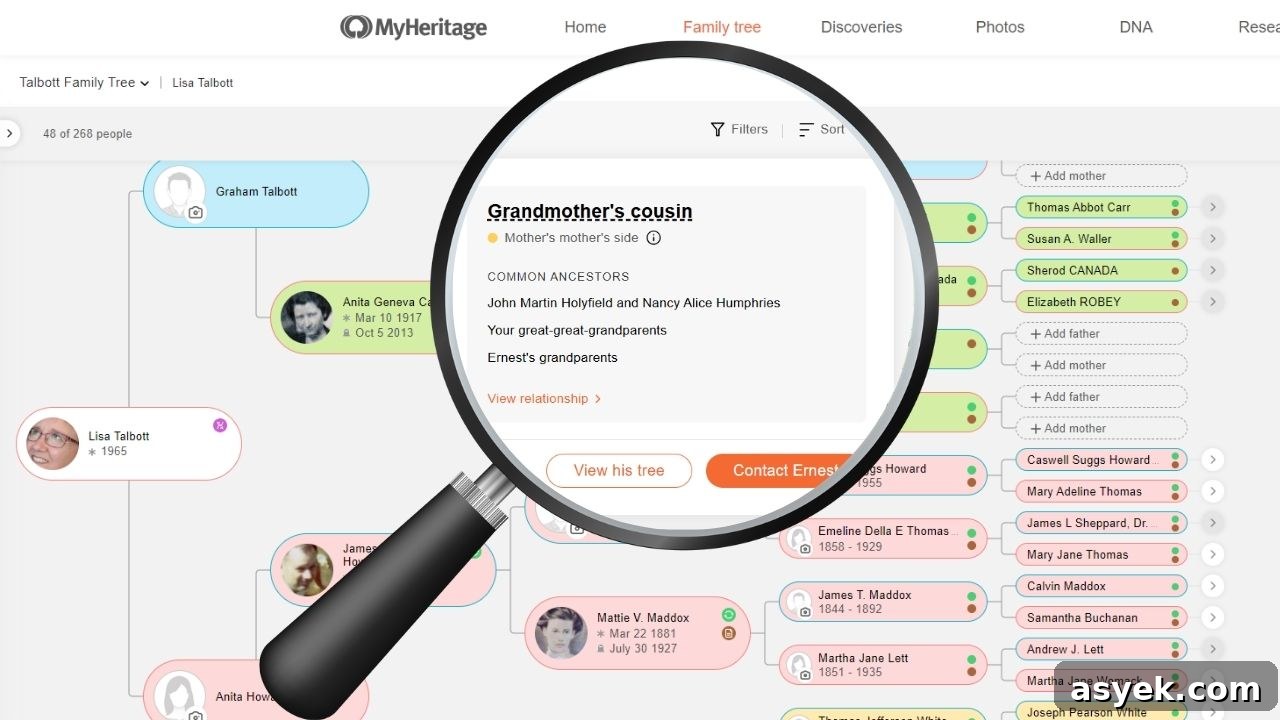
MyHeritage recently introduced a new Cousin Finder feature, unveiled at RootsTech 2025. This tool helps connect researchers with likely cousins who could have photos, documents, or family stories that fill gaps in your tree—without requiring a DNA test.
Table of Contents
- Why Finding Cousins Matters for Your Genealogy Research
- What is MyHeritage’s Cousin Finder?
- How to Use MyHeritage’s Cousin Finder Feature
- 💡Genealogy Tip
- Expanding Your Genealogy Network
Why Finding Cousins Matters for Your Genealogy Research
Before getting into how the Cousin Finder works, it helps to understand why connecting with cousins can push your research forward. Focusing only on your direct line can leave important clues untouched. Reaching out to collateral relatives—siblings, cousins, or the families of neighbors—often reveals records and stories your branch never preserved.
Ancestors Lived in Networks, Not Alone
Ancestors were part of broader family and community networks. A solution to a missing birth, migration detail, or surname change may exist in a cousin’s notes, a neighbor’s deed, or a sibling’s obituary. Expanding your search beyond a single line gives you access to different sources and perspectives.
Family Material Disperses Across Branches
Family information seldom travels evenly down every branch. While your direct line might lack photos or letters, a second or third cousin could have preserved them. Useful items often found with other branches include:
- Family Bibles listing births, marriages, and deaths
- Photographs with handwritten identifications
- Letters that mention relatives or important events
- Oral histories passed through generations
- Legal documents such as wills, deeds, or certificates
Collaboration Multiplies Research Progress
Working with cousins and other researchers speeds progress. Two or more people can divide tasks, verify findings, exchange records, and bring fresh ideas to stubborn problems. A second pair of eyes often sees connections you might miss while focused on a single line.
What is MyHeritage’s Cousin Finder?
Cousin Finder is a feature on MyHeritage that identifies members who share ancestors with you by comparing family trees across the platform. It highlights potential cousins and shows the relationship path that connects you, which helps you understand exactly how you are related.
Because it relies on tree data rather than DNA, the tool can reveal relatives who are actively researching the same lines but haven’t taken a DNA test—great for expanding your collaboration network beyond traditional DNA matches.
How to Use MyHeritage’s Cousin Finder Feature
Here’s a concise guide to getting started with Cousin Finder and making the most of the matches it provides:
Accessing Cousin Finder
- Log in to your MyHeritage account.
- Open the “Discoveries” or “Discovery” menu in the navigation.
- Select “Cousin Finder” to begin the analysis.
The first run can take a few minutes, especially if your tree or the database is large. Important note: Cousin Finder requires that you have an online family tree on MyHeritage.
💡Genealogy Tip
The more complete and accurate your tree entries—names, dates, places—the better the matches the system will find.
Understanding and Prioritizing Matches
Results include each person’s name, a profile photo (when available), the type of relationship, and the common ancestors you share. You can view a detailed relationship path that maps how you connect.
When deciding whom to contact first, consider:
- Recent site activity—active users are likelier to respond
- Tree size and completeness—larger, detailed trees often indicate engaged researchers
- Presence of photos or documents—these suggest they may have more to share
- Closeness of the relationship—closer cousins usually have more direct, relevant information
Contacting Matches
Use the “Connect” or message button on a match’s profile to introduce yourself. Be clear and courteous—explain how you’re related, ask specific questions, and offer what you can share. A collaborative, respectful approach encourages helpful responses.
Expanding Your Genealogy Network
Cousin Finder broadens how we discover relatives by tapping into family trees across a large user base. That expands your chance of finding unique records, photos, and stories that your branch never preserved.
Genealogy benefits from connections as much as records. By reaching out to cousins and other researchers, you add depth to your tree and increase the likelihood of solving long-standing mysteries. Have you used the Cousin Finder yet? Consider reaching out to a few matches with clear, focused questions—you might find the missing link you’ve been seeking.